
What is a FAQ Chatbot? (Benefits, Use cases, & How to Build)

Written By : Shantilal Matariya

Published on : August 5, 2025

9 min read
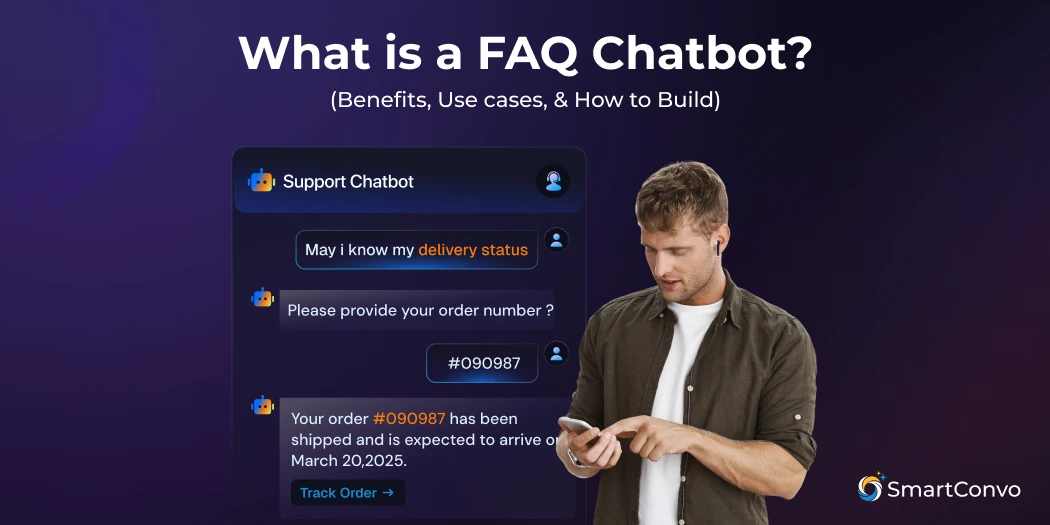


Answering the same customer questions every day—like “Where’s my order?” or “How do I return a product?”—can take up a lot of time for your support team. And as your business grows, these repetitive questions can quickly become too much to handle.
The good news? There’s a better way to manage this.
It’s called an FAQ chatbot.
An FAQ chatbot is a tool that answers common customer questions instantly through a chat. It works like a smart assistant, available 24/7, allowing users to quickly find what they need without waiting for assistance.
In this article, you’ll learn:
- What are FAQ chatbots are and how do they work
- The benefits they bring
- Real-world use cases
- How to build FAQ chatbot
Whether you’re running a startup, e-commerce store, or large business, this guide will show you how chatbots can simplify support and improve the customer experience.
What is an FAQ Chatbot?
An FAQ chatbot is a tool designed to answer common questions that people often ask about a company’s products or services. You’ll usually find these AI chatbots on websites, online stores, or customer support apps.
With natural language processing (NLP), these bots can understand and respond to questions in a way that feels like a real conversation. This makes the support experience smoother and more helpful for users.
Because these chatbots handle repetitive questions automatically, they help businesses save time, reduce customer support costs, and free up human agents to focus on more complex issues.
In simple terms:
An FAQ chatbot is just like a regular FAQ page—but smarter, faster, and powered by AI.
How Does an FAQ Chatbot Work?
FAQ chatbots follow a few simple steps to understand questions and give the right answers. Here’s how they work:
1. Understanding the Customer Question:
When a customer types a question, this ai faq chatbot uses natural language processing (NLP) to figure out what they’re asking.
It looks at keywords and the meaning behind the message to understand the customer’s intent.
2. Finding the Answer:
The chatbot checks its database of common questions and answers.
It’s smart enough to know that different questions can mean the same thing, like:
“How much does it cost?” and “What’s the price?”
3. Providing a Response:
Once it finds the best answer, the chatbot replies in a clear, friendly way.
If it’s not sure, it can ask a follow-up question or send the conversation to a human agent.
4. Getting Smarter Over Time:
With machine learning, the chatbot improves as it goes. It learns from past interactions, picks up new ways people ask questions, and spots missing information in its database.
This process helps FAQ chatbots deliver quick, accurate support while constantly getting better at understanding and helping customers.
Benefits of an FAQ chatbot
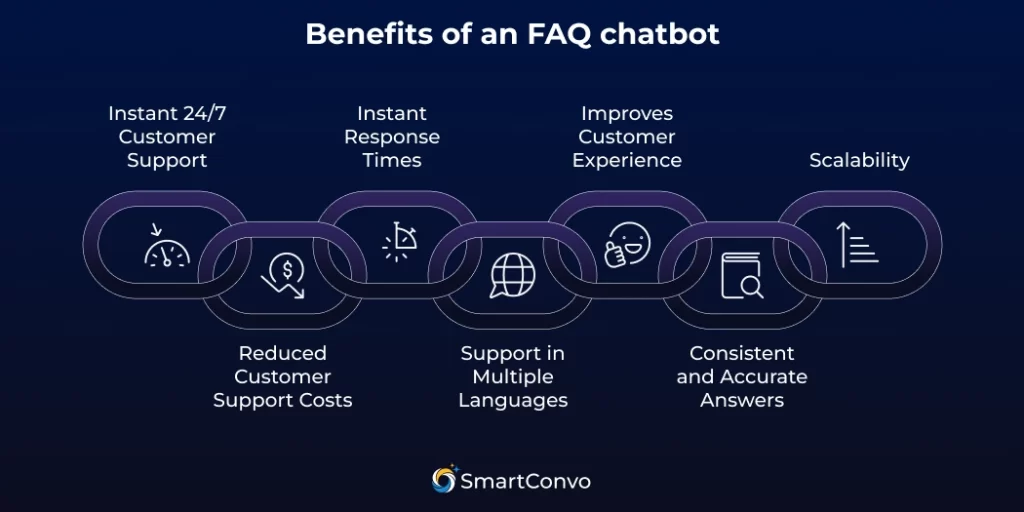
When you add an AI chatbot to your website, it can significantly improve both customer experience and business operations. Here are some of the most valuable benefits:
1. Instant 24/7 Customer Support
One of the biggest advantages of FAQ chatbots is that they never sleep. While human support agents work in shifts and take breaks, a chatbot is available 24/7.
This means your customers can get answers anytime, even on weekends, holidays, or in the middle of the night.
For businesses with customers around the world, chatbots make sure no one has to wait for help.
2. Reduced Customer Support Costs
FAQ AI chatbots are great at handling multiple conversations at once, which means businesses don’t need as many customer service staff.
In fact, companies often cut customer service costs by 30-50% after adding chatbots, since fewer people are needed to deal with common questions.
3. Instant Response Times
Today’s customers expect quick service. Delays in getting answers—especially to simple questions—can lead to frustration or even lost sales.
FAQ chatbots provide instant replies by pulling answers from a pre-set knowledge base or trained data. There’s no waiting in line, no tickets, and no “please hold” messages.
Faster responses = better customer experience.
4. Support in Multiple Languages
Many FAQ AI chatbots can be trained or configured to handle multiple languages, making them perfect for businesses with an international customer base.
Instead of hiring agents who speak different languages, you can set up your chatbot to answer questions in the user’s native language, enhancing accessibility and inclusiveness.
5. Improves Customer Experience
At the end of the day, customers just want to be helped fast, clearly, and politely.
When they can get the answers they need quickly without having to wait or repeat themselves, they’re more likely to be satisfied.
A positive support experience builds trust and loyalty, which can lead to higher retention, repeat purchases, and even positive word of mouth.
6. Consistent and Accurate Answers
Humans can make mistakes. Depending on who you speak to, you might get slightly different answers to the same question.
Chatbots don’t have this problem. They provide consistent, reliable, and approved information every time.
This ensures that all customers receive the same level of support and that your brand messaging remains clear and accurate.
7. Scalability
Unlike human teams that can only handle one conversation at a time, chatbots can manage hundreds or even thousands of chats at once, without slowing down.
Whether it’s a regular day or a busy shopping season, an FAQ chatbot can easily scale to meet demand, ensuring every customer gets help quickly.
This makes them ideal for businesses of all sizes, especially those expecting rapid growth.
Use cases of the FAQ chatbot
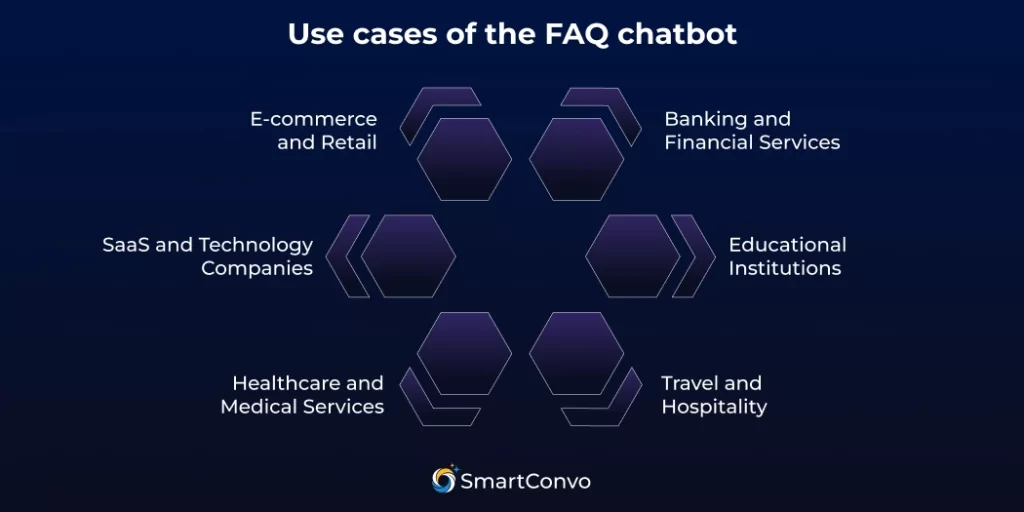
FAQ chatbots are useful for many industries and situations, helping with different customer service and business needs. Below are some of the most popular and effective use cases:
E-commerce and Retail
Online stores use ecommerce AI chatbots to answer common questions like order status, shipping details, return policies, and product info.
Customers can quickly find out about sizes, delivery times, and payment options without needing to wait for help.
SaaS and Technology Companies
Software companies use AI chatbots to help with account management, billing questions, feature explanations, and basic troubleshooting.
These chatbots guide users through common technical issues and provide links to helpful documentation or tutorials.
Healthcare and Medical Services
Medical practices use FAQ chatbots to answer common questions like how to schedule appointments, what insurance is accepted, where the office is located, and general health info.
They can’t give medical advice, but they make it easy to handle basic questions quickly.
Banking and Financial Services
Banks use chatbots to help with questions like account balances, transaction history, branch locations, and service fees. These chatbots are designed to be secure while making it easy to get routine account information.
Educational Institutions
Schools and universities use FAQ chatbots to assist students with things like enrollment, course details, campus resources, and academic policies.
These chatbots can answer questions about admissions and help guide students through the application process.
Travel and Hospitality
Hotels, airlines, and travel agencies use chatbots to help with bookings, cancellations, amenities, and local tips. They give quick answers about reservations and travel needs.
How to Build an FAQ Chatbot (Step-by-Step Guide)
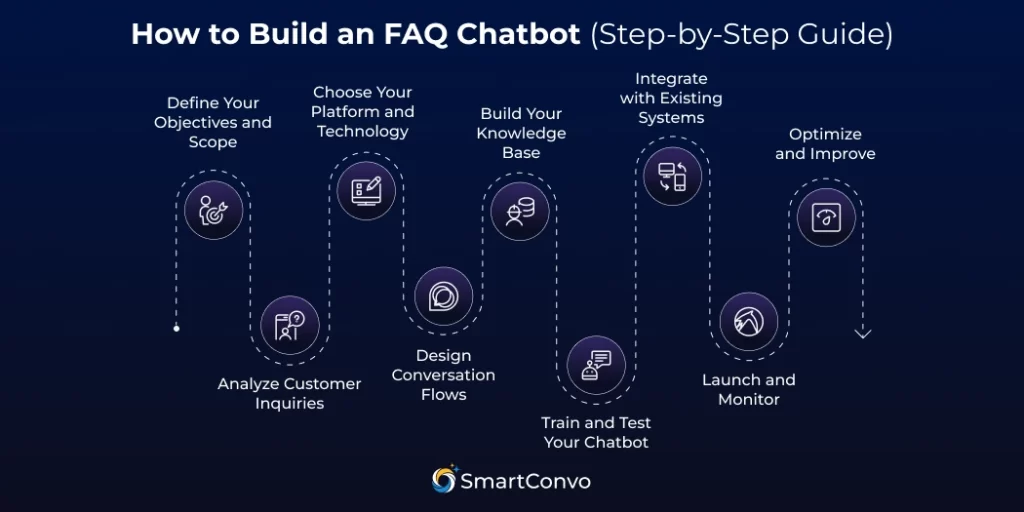
Building a helpful chatbot for FAQ support takes some planning and effort. Follow this simple guide to create a chatbot that supports your customer service goals.
Step 1: Define Your Objectives and Scope
Start by deciding what you want your chatbot to do.
Think about the types of questions it should answer, how many inquiries you want it to handle automatically, and how it will work with your current customer service process. Write down your goals to keep the development on track.
Step 2: Analyze Customer Inquiries
Check your customer service data to find the questions customers ask most often. Look at emails, phone calls, and live chat messages to spot common problems. Use this information to build your chatbot’s knowledge base.
Step 3: Choose Your Platform and Technology
Choose a chatbot platform that fits your skills and needs. For small businesses, no-code tools are simple to use.
For larger companies with specific needs, custom platforms work best. Look at things like how well it integrates, if it can grow with your business, and the cost.
Step 4: Design Conversation Flows
Plan how conversations should flow from the first customer message to solving their issue.
Use simple flowcharts to show different paths based on what customers say, including when to escalate if the chatbot can’t help.
This makes it easier to design clear and effective chatbot logic.
Step 5: Build Your Knowledge Base
Create clear answers to all frequently asked questions.
Write in a friendly, conversational tone that fits your brand, and make sure all information is accurate and up-to-date.
Group the questions into categories and tag them with relevant keywords for easy searching.
Step 6: Train and Test Your Chatbot
Add your knowledge base to the platform and start teaching it to understand how customers might ask questions in different ways.
Test it thoroughly with various question styles and tricky examples to make sure it gives accurate answers.
Step 7: Integrate with Existing Systems
Connect your chatbot to tools like CRM systems and help desk software. This makes it easier to share information and provide more personalized support to your customers.
Step 8: Launch and Monitor
Start small when deploying your chatbot. Begin with a few questions or focus on specific customer groups.
Keep an eye on how it performs by tracking things like resolution rates, customer satisfaction, and how often issues are escalated.
Step 9: Optimize and Improve
Review chatbot chats often to find ways to improve. Add new questions, make answers clearer, and adjust conversations based on user feedback and business changes.
Final Thoughts
An FAQ chatbot is a smart way to improve customer service, cut down support costs, and deliver quick answers to your customers 24/7. It handles repetitive questions so your support team can focus on more important tasks.
With the right setup, a chatbot becomes a reliable tool that makes support easier and more efficient. But remember, the best results happen when automation and human support work together.
If you’re ready to simplify your support and boost customer satisfaction, SmartConvo makes it easy. Our platform helps you build a powerful, AI-driven chatbot for answering questions, even if you’re not a tech expert.
Frequently Asked Questions (FAQ)
FAQ chatbots handle routine queries but struggle with complex issues. Seamless escalation to humans ensures better support.
No. Many platforms like SmartConvo allow you to build a chatbot without any coding knowledge using drag-and-drop tools.
Yes. Most modern FAQ chatbot tools can be embedded on websites, mobile apps, and messaging platforms like WhatsApp, Messenger, or Slack.
AI-powered chatbots are more flexible and understand varied questions, while rule-based bots are simpler but limited to predefined options.

With 8+ years of experience as a software engineer in the IT field, an Elite in Back-end development, DevOps, and Project & Team Management. Read more