
How Product Onboarding with AI Chatbots Improves User Experience

Written By : Shantilal Matariya

Published on : August 22, 2025

9 min read


Customer loyalty begins with a customer’s very first experience with your product—the onboarding process. In fact, research shows that 76% of customers will continue using a product if they receive a welcoming onboarding experience, while 63% of customers consider onboarding a deciding factor in product purchases.
Here’s the challenge: onboarding isn’t always easy. A confusing or impersonal process can quickly disengage users, lowering satisfaction and increasing churn. Today’s customers expect quick answers, personalized help, and on-demand guidance.
AI chatbots are changing the game. Imagine Sarah, a busy marketing manager, signing up for a new project management tool. With deadlines piling up, she doesn’t have time for manuals or demo calls. Instead, an AI chatbot for Customer Onboarding guides her step by step, answers questions instantly, and makes onboarding seamless. That’s the fast, interactive, and personalized experience users expect today.
In this blog, we’ll explore how product onboarding with AI chatbots improves user experience, address challenges, and share tips for creating an onboarding journey that boosts adoption, reduces churn, and builds loyalty.
What is Product Onboarding?
Product onboarding is the process of helping new users get started with your product. It’s all about showing them how it works, helping them see its value, and making their first experience a success. Think of it as giving users a warm welcome and setting them up for a great journey ahead!
This process begins when someone signs up and continues until they reach the “aha moment”—when they see how your product solves their problem. During onboarding, users learn key features, navigate the product, and understand how it meets their needs.
Good onboarding isn’t just about showing buttons. It’s about connecting your product to the user’s goals. When done right, it turns confused beginners into confident users who rely on your product every day. The goal is to improve product onboarding by helping them get value as quickly as possible.
What Are the Common Challenges in Product Onboarding?
Onboarding programs often suffer from confusing interfaces, a lack of guidance, or too much information. These problems can frustrate users, disconnect them, or even lead to abandonment.
The solution? Create a smoother, user-friendly experience—sometimes by leveraging an AI agent alongside traditional onboarding methods.
- User Overwhelm and Information Overload: Too much information can overwhelm users. Complex menus and dozens of features may frustrate them and cause abandonment.
- Lack of Personalization: Generic onboarding ignores user needs. A small business owner and an enterprise manager have different priorities, but a one-size-fits-all approach doesn’t work.
- Limited Support Availability: If users face issues outside business hours, like late at night or on weekends, traditional support systems leave them stranded, creating frustration and drop-offs.
- Inconsistent Messaging: When team instructions or documentation don’t match the product interface, it damages user trust and confidence. Clear and consistent messaging is key.
- Difficulty Measuring Success: Without proper analytics and feedback, it’s hard to know where users get stuck or what works best in onboarding, making it difficult to improve the process.
Poor Timing and Context: Introducing features too soon or sharing information at the wrong time can confuse users. Onboarding should offer timely, relevant guidance aligned with user goals.
Different Methods of Product Onboarding
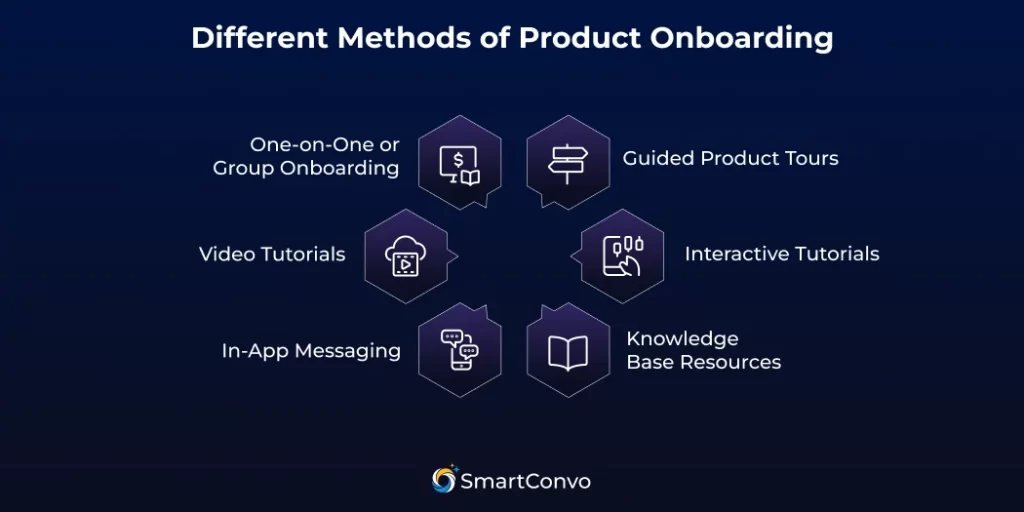
Successful companies employ various strategies to guide new users, each with unique strengths and ideal use cases. Let’s explore the most effective approaches!
Guided Product Tours
Guided tours take users through a product step by step, highlighting key features and how they work. These interactive overlays show important parts of the interface while explaining their purpose. They’re perfect for visual learners who like hands-on exploration.
The best part? Guided tours give users the right info at the right time. Instead of overwhelming them, they focus on specific goals or experience levels, creating a more personalized experience.
Interactive Tutorials
Interactive tutorials let users learn by doing. They guide users through actual tasks within the product, helping them practice key skills and gain confidence.
This method works well for complex products where users need to understand workflows and build muscle memory. By combining learning with action, users retain information better and feel ready to use the product on their own.
Knowledge Base Resources
A knowledge base is like a self-help library. It includes articles, FAQs, video tutorials, and troubleshooting guides that users can search and reference anytime.
This approach is perfect for users who prefer to learn on their own. A well-organized knowledge base becomes more useful over time, helping both new and experienced users find answers quickly while reducing the need for support tickets.
In-App Messaging
In-app messages provide helpful tips or announcements directly within the product, based on what users are doing. These messages can highlight new features, offer advice, or guide users toward actions that improve their experience.
To be effective, in-app messaging needs to be well-timed and relevant. Messages should feel helpful, not intrusive, and add value without disrupting the user experience.
Video Tutorials
Videos are a great way to explain complex ideas clearly and visually. Users can pause, rewind, and watch at their own pace to see exactly how features work.
Videos are especially effective for showing processes or workflows that are hard to explain with text alone. They’re engaging and easy to follow.
One-on-One or Group Onboarding
Personalized onboarding sessions allow users to ask questions and get immediate feedback. While this method requires more resources, it’s ideal for high-value customers or complex products.
Group onboarding sessions balance personalization with efficiency, teaching multiple users at once while still addressing their specific needs.
These methods, when supported by an AI-powered product onboarding approach, create an engaging, personalized, and scalable experience.
How to Implement Product Onboarding with AI Chatbots
Integrating AI chatbots into your onboarding process doesn’t have to be overwhelming. With the right approach, you can create a natural, helpful, and engaging experience for new users. Here’s how to get started:
1. Set Clear Onboarding Goals: Define what you want new users to achieve in their first few days—setup, exploring features, or key actions. Clear goals help your chatbot guide users and show value fast.
2. Understand the Customer Journey: Put yourself in a new user’s shoes. What’s their first step? Where might they get stuck? This helps you create timely, helpful chatbot prompts without overwhelming them.
3. Keep Conversations Simple: Make your chatbot a friendly guide. Use a casual tone, step-by-step instructions, and quick-reply options. Keep it clear and easy—simplicity wins.
4. Personalize the Experience: Not all users are the same. Use AI to tailor experiences to their goals—marketers might want campaign tips, while developers need API guides. Personalization keeps users engaged.
5. Integrate With Your Tools: Connect your chatbot to your app, CRM, or knowledge base to deliver accurate answers and real-time guidance.
6. Track and Improve: Onboarding is ongoing. Use chatbot data to identify where users get stuck, common questions, and ways to speed up the process. Refine it over time.
Pros and Cons of Using Product Onboarding with AI Chatbots
Understanding both the advantages and limitations of AI-powered onboarding helps you make informed decisions about implementation and set appropriate expectations.
Pros of Product Onboarding
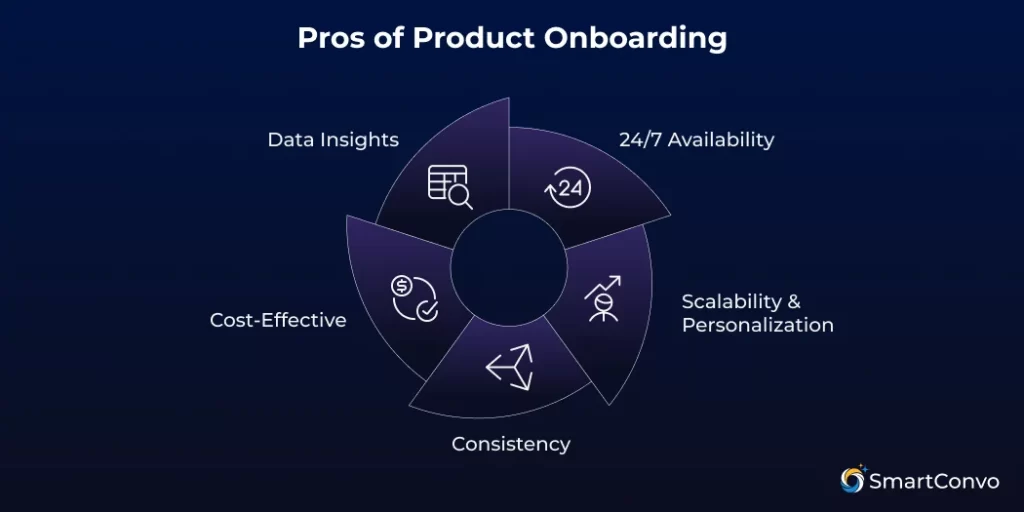
24/7 Availability
Your AI Chatbot for Customer Service is always available—it doesn’t sleep, take breaks, or go on vacation! This means users can get help anytime, no matter the time zone or hour. Late-night workers, international users, and weekend users all get the same quick, quality support.
Scalability and Personalization
AI chatbots handle unlimited conversations while keeping interactions personalized. Users get tailored guidance, which is essential during busy times like product launches or rapid growth. With AI chatbots, onboarding stays consistent no matter the user volume.
Consistency
AI chatbots consistently deliver accurate, high-quality information. Unlike human teams that may vary in answers or detail, chatbots ensure consistency in tone, style, and accuracy. This builds trust and reinforces your brand voice.
Cost-Effective
AI chatbots are an affordable solution for customer support. They handle simple tasks and questions, reducing the need for support staff and freeing your team for bigger challenges. As your business grows, the savings are clear—one chatbot can replace several people while staying available 24/7.
Data Insights
AI chatbots provide valuable data on user behavior, common questions, and problem areas during onboarding. These insights help you improve your product and processes, uncovering trends that human teams might miss, such as confusing features or frequent issues in specific onboarding steps.
Cons of Product Onboarding
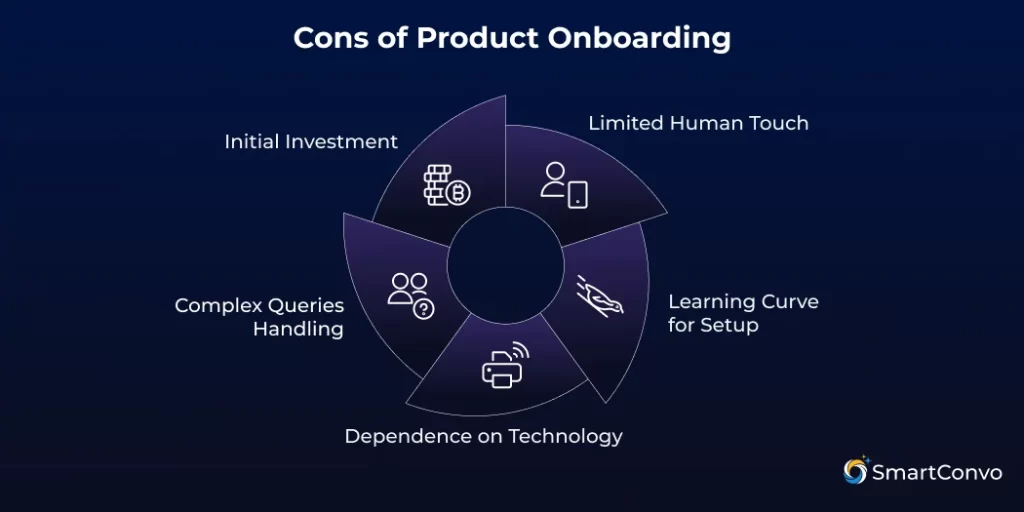
Limited Human Touch
AI chatbots are efficient and consistent but lack empathy, creativity, and the deep understanding humans offer. Many users still prefer human interaction, especially in emotional or frustrating situations. Complex or sensitive issues may still require human intuition, which AI can’t fully replicate.
Learning Curve for Setup
Setting up AI-powered onboarding takes time and effort. It involves planning, development, testing, learning new tools, designing conversation flows, and system integration. For smaller teams or companies without technical resources, this can feel overwhelming and may delay implementation or lead to weaker results.
Dependence on Technology
AI chatbots rely on stable systems to work. If the technology fails, so does the chatbot, which can disrupt user experiences. You’ll need backup plans and monitoring to keep things running smoothly. Chatbot performance relies on its training data—outdated or poorly designed responses can confuse users instead of helping.
Handling Complex Queries
Despite major advancements, AI chatbots for complex queries still face certain limitations. While they excel at handling routine onboarding tasks and FAQs, highly unique or intricate questions can still pose challenges. If a chatbot fails to provide relevant answers repeatedly, users may quickly become frustrated.
Initial Investment
Creating and maintaining a quality AI chatbot requires a significant investment in technology, development, training, and updates. For small companies, these costs may seem high at first. The process also takes time to create content and improve the system with user feedback.
Conclusion
AI chatbots aren’t just another trend—they’re reshaping how businesses onboard and support customers. By combining automation with personalization, they improve product onboarding, reduce churn, and create user experiences that feel supportive and intuitive.
Partnering with platforms like SmartConvo helps businesses set up an AI-powered product onboarding process that’s simple, scalable, and user-friendly. The goal isn’t only to adopt new technology—it’s to build customer loyalty by helping users succeed.
The future of onboarding is smart, conversational, and always available. Are you ready to transform your onboarding journey with an AI chatbot for Customer Onboarding?
Frequently Asked Questions (FAQ)
Product onboarding helps new users learn and adopt a product quickly.
AI chatbots guide users step by step, answer queries, and personalize help.
They handle routine tasks well, but complex issues may still need humans.
They solve common questions but struggle with unique or sensitive issues.
Yes, by offering instant help, consistent support, and personalized guidance.

With 8+ years of experience as a software engineer in the IT field, an Elite in Back-end development, DevOps, and Project & Team Management. Read more